🎉 Up to 70% Off Selected ItemsShop Sale
Instant Star Ships
Welcome to Instant Star Ships, a tool for quickly spinning up weird and wonderful spaceships and drones. There are many types of cards that you can mix-and-match to build and remix whatever you need:
- Ship and Drone Picture Cards: Pick among these or pull a card at random. Blur the boundaries between drones and ships — what you see is as big or as small as you want it to be.
- Name Cards: These cards carry a small collection of names that fall within a vibe. Grab the card that fits your style and pick a name that speaks to you.
- Tech Cards: Each tech card has two technology options — pick the one that piques your interest or meets a need and slide it under the Picture card so only the half you are using is visible. Repeat this process with as many tech cards as you like, building a column of cards that defines the ship.
- Designation Cards: Grab the designation card, and select one item each from the Class, Scope, and Type columns to define your ship's background and function.
$6.98
Original: $19.95
-65%Instant Star Ships—
$19.95
$6.98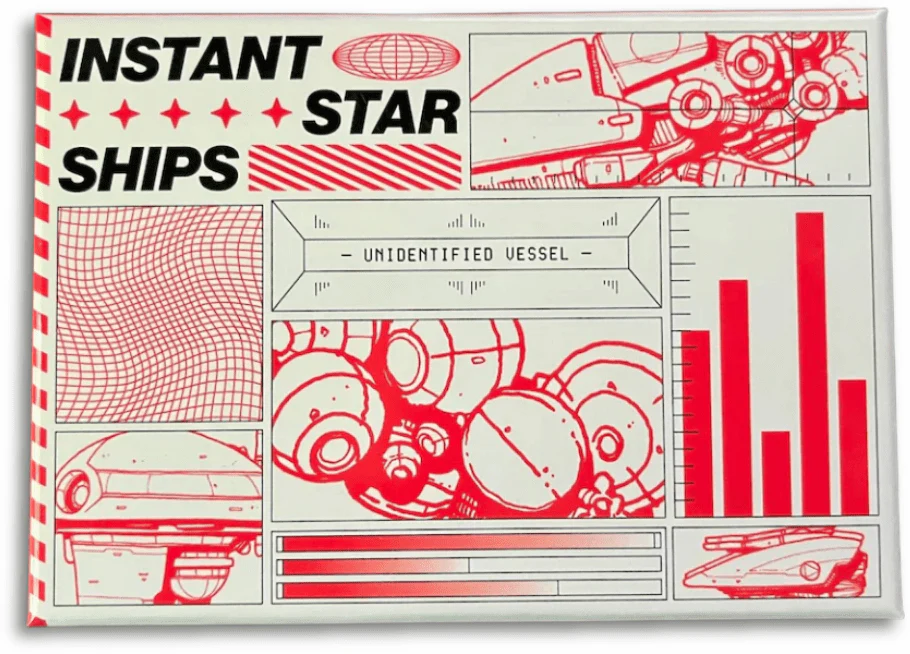
Description
Welcome to Instant Star Ships, a tool for quickly spinning up weird and wonderful spaceships and drones. There are many types of cards that you can mix-and-match to build and remix whatever you need:
- Ship and Drone Picture Cards: Pick among these or pull a card at random. Blur the boundaries between drones and ships — what you see is as big or as small as you want it to be.
- Name Cards: These cards carry a small collection of names that fall within a vibe. Grab the card that fits your style and pick a name that speaks to you.
- Tech Cards: Each tech card has two technology options — pick the one that piques your interest or meets a need and slide it under the Picture card so only the half you are using is visible. Repeat this process with as many tech cards as you like, building a column of cards that defines the ship.
- Designation Cards: Grab the designation card, and select one item each from the Class, Scope, and Type columns to define your ship's background and function.